Equity and Accessibility: in Software and the Web
Why Everyone Needs to Bother With Accessibility
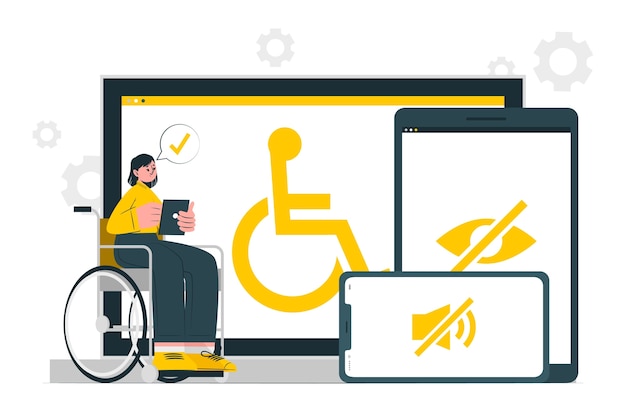
Accessibility is the careful design of products and services that allows everyone to make use of them regardless of disability. Which means that whenever you create a social media post, a video, a web page, or any other piece of content with the intent on sharing it with the world, you have a responsibility to ensure that everyone, not just people with sound sight, hearing, full mobility, and normal cognitive functions, can use them. In 2024, the Title II of Americans With Disabilities Act was updated to cover web content, standards all US-home web content creators need to follow (US Justice Department Civil Rights Division, 2024). Accessibility needs to be on the forefront of the design process, not an afterthought in the final phase. After all, making your stuff regulation compliant will only help improve user experience and make your content more user-friendly, taking the extra time is worth it.
Content Creators and Accessibility
When you think of accessibility in terms of videos, websites, etcetera, extra details like closed captions, contrasting colors, and maybe enclosed transcripts come to mind. Those added details to help users navigate your content fall under some accessibility categories of potential impairments you should be aware of: vision, hearing, mobility, and cognitive impairments. Below are some things you should do to make your web content accessible to everyone:
Vision
- Avoid color combinations commonly problematic with the color blind: red and green, purple and blue, gray and green, as well as yellow, and brown. Any two of these colors paired together should not be used on text, separating blocks on websites, or any elements in video that need to be differentiated or emphasized.
- Images need to have alt tags that describe image content unless it is purely decorative.
- Text should be of a consistent font without sharp edges for easier reading.
- All text should be large and scalable.
- Make color on websites decorative, not crucial to convey meaning of any kind. Your text, elements, and layout should do that.
- Put aria-labels on elements like buttons for screen readers.
Hearing
- Provide transcripts for videos.
- Include closed captions.
- Avoid sound effects on websites.
Mobility
- Provide alternative means to content and service navigation than drag and drop on websites.
- Minimize the number of clicks/actions needed for navigation on sites.
Cognitive
- Make navigation intuitive and simple.
- Ensure all content is clear and direct, especially if its for explaining a website's primary purpose and/or service.
Equity Concerns
In the same vein as accessibility, equity is the responsibility of everyone to ensure that other's have a fair chance to use the services and products of the web with equivalent quality and results. To be equitable as a programmer and content creator, we need to examine our work for bias, and the work of other creator's that we may use in our own.
While we're here, a note on copyright: whenever you want to include another's work in your own, make sure that it's as a reference or short clip of the work, not large pieces of it. This applies to text and video. Regardless of the format of the borrowed content, ensure the original author is credited, either in the body of your work or in the reference list.
Humans are biased, so are their creations. The AI algorithms that make up facial recognition software, hiring, insurance, and other large scale programs base their decisions of off the data sets biased humans provide. The documentary Coded Bias points out the unfounded reliance on flawed algorithms that drive people to believe in an "impartial" and otherworldly decision maker (Kantayya, 2020). As content creators of a variety of multimedia, we need to design our work to not only be accessible, but equitable to everyone. That means we must check the work we make for our bias, examine other opinions, adapt, and assemble our work with our eyes open and brains on. Doing other wise is a disservice to our users who come for an experience that they can relate to other users. Depriving one user of a satisfactory experience just because it's easy is a massive failing of any content creator.
References
Kantayya, S. (Director). (2020). Coded Bias [Documentary]. 7th Empire Media.
US Justice Department Civil Rights Division. (2024, March 8). Fact Sheet: New Rule on the Accessibility of Web Content and Mobile Apps Provided by State and Local Governments. ADA.gov. https://www.ada.gov/resources/2024-03-08-web-rule/


Comments
Post a Comment