Open Source Software: When It's Great and When It Isn't
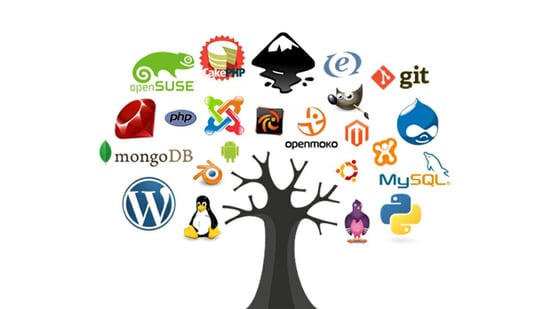 |
| Examples of Open Source Software by Cobalt |
What is Open Source?
Open source software (OSS) are computer programs that fall under special distribution licenses that make them free to modify, learn about, use, and distribute. Most of the popular versions of this software distribution format are in the form of apps and large programs. The Linux kernel (core of an operating system) is open source. So is Mozilla Firefox, a popular browser. WordPress, a content management system (CMS, an advanced site maintainer and builder) is also open source software (Black Duck, 2023). Most open source software typically operates like this: a public repository of code, like on GitHub, is created for all the source code (program code) to reside. Anyone and everyone can access this repository, taking the code for themselves to use, to give to their friends, maybe to change and sell, or to improve upon and contribute to the repository. Do not confuse OSS with free software however, distributions of open source software (versions with code changes) can cost money. Technical support sometimes does too.
What's Great About OSS
One of the greatest attractions of open source software is the leeway users are given with it. Unlike proprietary software, where users must pay to own/use it, are typically forbidden from tampering with it, sharing it, or even looking at the source code, OSS is as the name says, open. There are essentially no restrictions on what users can do with open source software. Whether you completely overwrite the source code, make changes and sell it for money, post the entirety of the program on Reddit, your blog, or download the program and just tweak it for your own personal use, you can be confident in your right to do so. There are different licenses under the OSS category that do put some restrictions down, like sharing any improvements with the public, but that's nothing compared to proprietary software restrictions (Black Duck, 2023). This openness extends to transparency in the software. Proprietary software can sometimes feel like you're opening a black box on your computer. I know what it's supposed to do, but what does it actually do? How much of my personal data is being collected by this application? Open source software can let you know the answers to all of those questions.
OSS is hardly known for just its freedom in use and distribution. Open source software are programs that are collaboratively developed by programmers of all skill levels and backgrounds. The limit is the Internet when it comes to OSS development, and that limit has let this kind of software develop to amazing heights. Code is always being checked and reviewed by programmers, fostering continuous development and improvement. Red Hat, a company selling a popular Linux distribution (an operating system with the open source Linux kernel as the core), calls open source software "living code" (RedHat, 2019). It never stops improving so long as there are programmers to contribute, growing in functionality and robustness over time. The original developers may quit the project, but this growth continues.
When OSS is Not so Great
Open source software has many pitfalls all potential users should be aware of. First off, what makes proprietary software attractive in the first place? You have to pay for it, maybe even weekly depending on your plan, so why do people bother if there are free alternatives? For one, OSS tends to lack advanced features for specific, industry needs. Proprietary software is also developed with an intuitive, advanced user interface at the forefront (UI, the part of the application users interact with). If OSS is developed with flexibility, transparency, and functionality in mind, then proprietary software is developed as a product to sell. Companies want their software to be as user attractive as possible, cutting down on the adaptiveness and flexibility of their applications in return for ease of use and excellent design. As such, OSS often is confusing and too technical for average users without additional research.
Technical support for OSS is also generally lacking. Most open source projects have support forums where users can search for specific technical problems others have suffered in an attempt to resolve issues themselves. Users need to teach themselves how to use the application with documentation and how-to guides. This is in comparison to technical support centers and dedicated support technicians who guide users through problems as part of companies selling proprietary software. Open source projects may have a dedicated support system, but it usually costs money or requires a subscription of some kind.
Security is often a problem with OSS as well. All the source code for OSS is publicly available, providing hackers and bad actors with all the information they need to fish for exploits and loopholes in the code. Those security holes are often revealed and patched quickly thanks to widespread community development and testing, but problems can go unreported or unresolved. Proprietary software, while hardly invulnerable, is at least harder to examine in detail. Plus, many software companies will preform regular security audits and provide good security features.
Why You Might Want to Use OSS
OSS is great for people who prioritize flexibility and low-price in their software, and aren't afraid to dive into technical documentation and self-educate themselves on how to use applications. Proprietary software might be the better choice for people who want advanced features, a better UI, great security, and good user support. This is all depends though. There are open source projects that offer all these things. Proprietary software can be much worse than some open source software. Some OSS can be extremely advanced (the Linux kernel is considered to be the best general-purpose kernel out there, and that's open source). If you are making a choice between open source software and proprietary software, decide on the basis of what specific applications are capable of and what you need them for, not what category they fall under.
Audacity
I set out to use an open source software application, and I settled on Audacity this week. Audacity is a piece of audio recording/editing software I downloaded for free online. It is a upper mid-level type software that falls short of advanced audio recording/editing software that you might buy from a proprietary company, but it's great in it's own right. It allows users to record audio from a variety of devices, layer tracks, install plugins for more functionality, mix audio, remove background noise, apply effects, and export in multiple audio formats.
My Experience
In the process of testing this software, I created an audio recording of me reading The Open Window by SAKI. This is a link to the full text: here. After I downloaded the software and got through the setup wizard, I found myself in a blank recording page called a project. I found the recording start and stop buttons easily enough (upper left-hand corner), and made some test recordings. I was confused on how to play the audio recordings in my files, but I realized that I could do so only after saving the project and exporting. Otherwise I needed to use the built-in playback feature. After I figured out how to record, I searched online for how to make a voice recording in case I missed some settings. I was impressed by their documentation and guides actually. Audacity has some great and simple articles for beginners, and I found one centered on exactly what I was doing. It showed me how to configure my laptop microphone settings in Audacity to record properly (I was using stereo when I should have been using mono), how to export, and more. Getting my recording made was a simple matter after that.
Some observations: Audacity has a pretty good UI in terms of simplicity. I was not terribly confused, even before reading some of the documentation. It's outdated though. It relies on tools grouped under hover activated menus, which means it takes careful mouse movements and lots of clicks to get into the different tools. The color scheme also gives off 2000s vibes. Keyboard navigation exists, but it's spotty and the hotkeys (the keys tied to actions) are kind of random. After some research, I found that Audacity does not have built-in screen reader support and has limited accessibility features. In terms of actual functionality, the application is missing some audio editing features present in high-end audio recording and editing software, like real-time effect edits.
Overall, I would rate Audacity as good software for hobbyists and lower-needs businesses who need audio recordings without any accessibility features. The application is not yet at the true professional level needed by full-time audio recorders, but it's great for free open source software, especially in terms of its documentation and articles.
Conclusion
Open source software can be free, flexible, adaptable, and transparent, so it's hardly a dying or failing movement, but rather a method of software development and distribution that shows no signs of slowing. Mozilla Firefox (browser), Linux (kernel), WordPress (CMS), Python, PHP (popular programming languages), LibreOffice (alternative to Microsoft Office), and Android (mobile operating system) are just some of the most famous examples of OSS. Forget the benefits of awareness to the world of software (although that's important too), knowledge of OSS can push programmers to potentially support these projects. Every contribution to an open source project helps you, as a consumer and software user, give yourself more options to chose from when populating your app collection.
References
Black Duck. (2023). What Is Open Source Software and How Does It Work? | Black Duck. Blackduck.com. https://www.blackduck.com/glossary/what-is-open-source-software.html
RedHat. (2019, October 24). What is open source? Redhat.com. https://www.redhat.com/en/topics/open-source/what-is-open-source


Comments
Post a Comment